
AEO, GEO and SEO for Shopify: How to Get Your Store Named by AI
Short answer: Shopify handles more of the technical base than most builders. Standard themes send readable pages, every store gets a sitemap, and eligible products go to AI shopping channels through Shopify Catalog. What it leaves to you is the part AI tools lean on most: clear product pages, clear business details, schema that matches the page and the same facts everywhere your store is listed.
New to how AI search works? SEO, AEO and GEO are explained as an animated journey into the AI world: take the AI search journey →
When someone asks ChatGPT, Gemini or Perplexity where to buy something you sell, the tool either names your store or it does not. This guide is for people who run their own Shopify store and want to know what to check and what to fix, in order. Most of it needs no developer.
Everything said here about Shopify comes from Shopify's own help and developer pages, read on 20 November 2026. Shopify changes these features often, so check your own admin before you act.
The short version
- Shopify gives you readable pages, a sitemap and a default robots.txt. You rarely need to touch them.
- Your work is the content: product pages with full details, a clear statement of who you are, and matching facts across the web.
- Eligible products can appear in AI shopping channels through Shopify Catalog. Check Sales channels, then Agentic, in your admin.
- To sell through ChatGPT, Shopify says a store must sell to customers in the United States, wherever the store is based.
- Nothing here guarantees you will be named. It removes the reasons you might not be.
What SEO, AEO and GEO mean for a store
SEO (search engine optimisation) helps your pages rank in Google and Bing results. AEO (answer engine optimisation) helps AI tools quote your pages when they answer a question, such as which fabric suits hot weather. GEO (generative engine optimisation) helps AI tools name your store when someone asks for a recommendation, such as where to buy linen sheets in Australia.
They are not three separate jobs. AI tools draw on search indexes and on pages they fetch themselves, so a store that search engines cannot read is hard for AI to quote or name. Start with the base, then build on it.
What Shopify already does for you
- Readable pages. Standard Shopify themes build each page on Shopify's servers and send finished HTML, so a crawler gets your product title, price and description without running any script. Headless and heavily customised stores can differ, so test yours (Test 1 below).
- A sitemap. Shopify says every store automatically generates a sitemap.xml that links to your products, pages, collections and blog posts.
- A default robots.txt. Shopify's default file lets crawlers request your public content, such as product, collection, page, blog and policy pages. It keeps them out of admin, cart, checkout and account pages. Shopify says the default works for most stores.
- A structured data tool for themes. Shopify provides a filter that turns a product into schema.org Product markup, and a blog post into Article markup. Whether your store uses it depends on your theme.
- A feed to AI shopping channels. Shopify's agentic storefronts send eligible product data to channels such as ChatGPT, Google AI Mode and Gemini, Microsoft Copilot and Meta through Shopify Catalog. Shopify says this is active by default for eligible stores.
What Shopify leaves to you
- What your product pages say. Thin descriptions give an AI tool nothing to quote.
- Who your business is. Themes do not write a clear statement of what you sell, for whom and where you ship from.
- Business-level schema. Product markup describes a product. It does not tell a machine who the seller is.
- Answers to buyer questions. Sizing, materials, care, shipping times and returns, written where a crawler can read them.
- Consistency elsewhere. Your store name, description and contact details on Google Business Profile, social profiles, marketplaces and directories.
- Checking what AI says. Shopify reports on its own channels. It does not show what AI tools say about your brand on the open web.
Four quick tests for your store
Test 1: Is your text in the page source? Open a product page, right-click and choose View page source, then search for a sentence from your description. If it is there, crawlers can read it. If your description sits inside tabs or an app widget, check that it still appears.
Test 2: Are crawlers allowed in? Open yourstore.com/robots.txt and read it, or run your address through the free robots.txt checker and AI crawler checker. If an earlier developer or app added a custom robots.txt.liquid template, it may carry old rules.
Test 3: What schema is on the page? Run a product page through the free schema detector. You want one Product block with the right name, price, currency and availability. Themes and apps can both add schema, so two conflicting Product blocks are common.
Test 4: What do the AI tools say? Ask ChatGPT, Gemini and Perplexity the question a buyer would ask, without your brand name. Then ask about your store by name. Write down the date and the answers so you have something to compare later.
The Free Check runs the technical tests in one go.
SEO: the base everything else sits on
- Write a title and description for every product, collection and page. Use the search engine listing section at the bottom of each editing screen in your admin. Say what the item is in the words a buyer would use.
- Add alt text to product images. Describe what is in the photo.
- Keep one address per product. Shopify says it adds canonical tags to pages automatically to prevent duplicate content in search results. A product can still be reached through a collection address as well as its own, and Shopify's developer pages note that this is the same content on separate addresses. Run both through the free canonical checker and confirm they point to the same product address.
- Redirect when you rename or remove. When a product address changes, add a URL redirect in your admin so old links still land somewhere useful.
- Submit your sitemap. Add yourstore.com/sitemap.xml in Google Search Console and in Bing Webmaster Tools. Microsoft says Copilot sends search queries to Bing to ground its answers in web data, so your store needs to be in Bing's index too.
- Remove apps you no longer use. Leftover app code slows pages and can leave duplicate schema behind.
AEO: pages an AI tool can quote
Shopify's own advice for AI is to make product pages complete. It recommends:
- clear, concise product titles and summaries that state the main benefits
- price, availability and main features easy to see
- detailed specifications and technical details
- comparison information with similar products
- sizing guides, material information and care instructions where they apply
- structured data and product attributes
Shopify adds that detail which matters to AI systems but not to shoppers can sit lower on the page.
Beyond the product page:
- Answer the question first. On a shipping, returns or sizing page, put the answer in the first fifty words, then the detail.
- Use real questions as headings. "How long does delivery to Perth take?" is easier to quote than "Shipping information".
- Write buying guides in your blog. One page per question a buyer asks before choosing.
- Keep text as text. Size charts and ingredient lists saved as images cannot be read as words.
GEO: a store an AI tool can name
- State who you are. On your home and About pages, say what you sell, for whom and where you are based, in one or two sentences. An Australian store can add its ABN, that prices are in Australian dollars and where orders ship from.
- Add Organization schema. It names the business behind the products: name, address of the site, logo and your profiles elsewhere. The free schema generator builds the block, and it goes in your theme code.
- Complete your store policies. Terms of service, privacy policy and return and refund policy. Shopify requires all three for its AI shopping channels.
- Fill in Shopify's knowledge base. Shopify uses it for facts that are not about a product, such as your return process, shipping timelines and brand values, so AI agents can answer questions about your business.
- Match your details everywhere. The same store name, description and contact details on Google Business Profile, social profiles, marketplaces and directories.
- Keep reviews readable. If a reviews app loads them by script only, check they show in the page source.
Shopify's AI shopping channels, for Australian stores
Shopify calls these agentic storefronts. They let shoppers find, and in some channels buy, your products inside AI tools. What Shopify's help pages say:
- They are active by default for eligible stores. You manage the channels in Sales channels, then Agentic, in your admin.
- Every channel needs your products to be eligible for Shopify Catalog and your three store policies to be complete. Each channel then has its own rules, such as the countries you sell to.
- ChatGPT: your store must sell to customers in the United States, though it can be based elsewhere. Shoppers find the product in ChatGPT and pay in your own store checkout.
- Google AI Mode and Gemini, Microsoft Copilot and Meta: each has its own requirements page. Check them from your admin.
- Blocking AI crawlers in robots.txt does not stop Shopify Catalog sharing products with the channels you have active. The two are controlled separately.
For an Australian store that sells only within Australia, the practical point is this: the shopping channels may not apply to you yet, but the open web does. AI tools still read your pages and what others say about you when they answer an Australian buyer. That is where the fixes above count.
What each AI says
On 20 November 2026 we put one question to six AI tools from Sydney, word for word: "How do I get my Shopify store recommended by ChatGPT and other AI tools?" Each answer is summarised below with a screenshot.
These are the tools' own words, not checked facts, and one question on one day is a snapshot. Ask again tomorrow and the wording will differ.
Where they agreed. All six said to write product pages with specific facts, add schema, and earn reviews and mentions on other sites. Perplexity, ChatGPT and Claude each said there is no way to submit a store or pay for a recommendation.
Where they differed.
- Perplexity, ChatGPT, Google AI Mode and Grok pointed to Shopify's agentic storefronts. Gemini and Claude did not mention them.
- Gemini and Grok said Shopify allows crawlers by default. Claude said Shopify's default robots.txt blocks some AI crawlers. Shopify's help page says the default file lets crawlers request your public pages, so read your own file instead of trusting any one answer.
- ChatGPT alone raised the United States selling rule for Australian stores. Google AI Mode said availability varies by region.
Jump to: PerplexityChatGPTGeminiGoogle AI ModeClaudeGrok
What Perplexity said 1 of 6
Opened by saying you cannot submit a store to ChatGPT or guarantee a recommendation. It then listed: check Sales channels, then Agentic, in Shopify; complete every product's details; let crawlers in; add schema; set up Shopify's Knowledge Base; build reviews and outside mentions; and test 20 to 50 buyer questions. It cited eight sources, most of them Shopify pages.
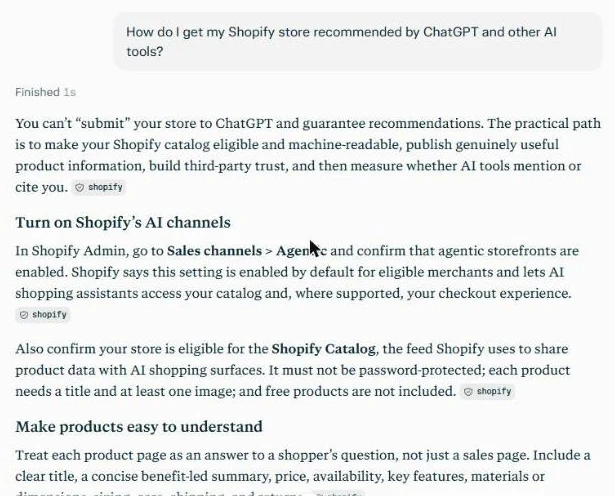
Perplexity, 20 November 2026, about 1:09 pm, incognito mode, not signed in. The screenshot shows the opening of the answer.
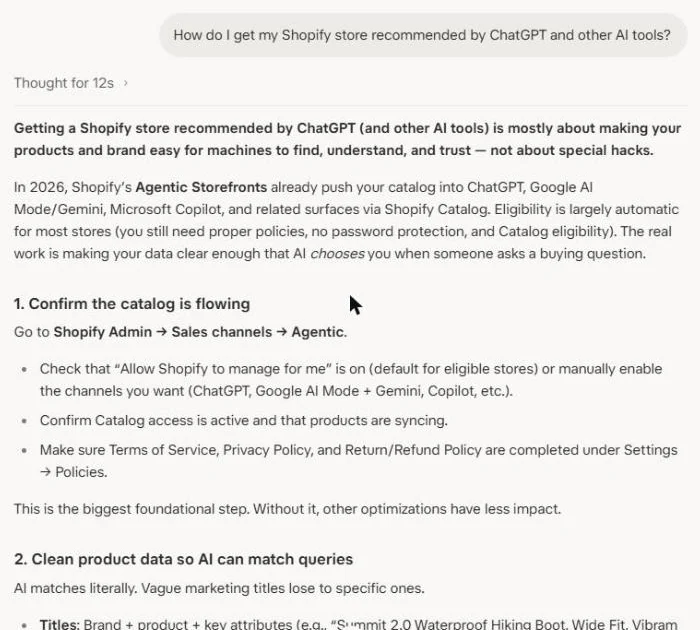
What ChatGPT said 2 of 6
Gave eight steps, starting with Shopify's agentic storefronts and claiming a business profile in ChatGPT. It was the one tool that raised the rule for Australian stores: to appear through Shopify's ChatGPT channel a store must sell to customers in the United States. It closed by saying no schema or llms.txt file guarantees a recommendation.
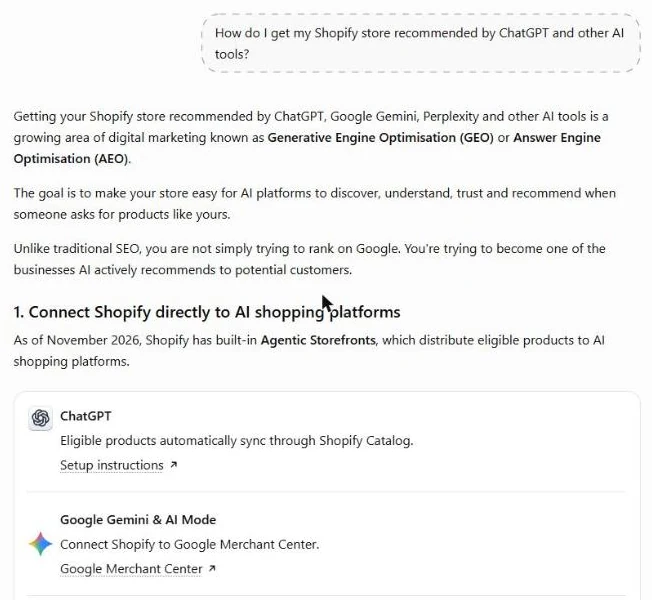
ChatGPT, 20 November 2026, about 1:10 pm, temporary chat. The screenshot shows the opening of the answer.
What Gemini said 3 of 6
Grouped its answer into four areas: a site that crawlers can read, agreement across outside sources (which it called the most important factor), product feeds through Google Merchant Center and Microsoft, and a clear brand position. It did not mention Shopify's agentic storefronts.
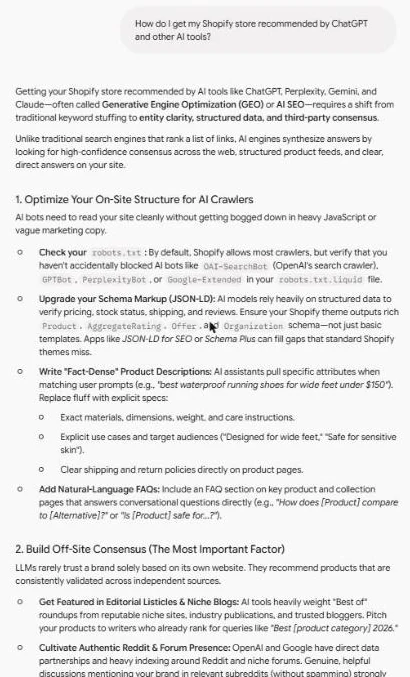
Gemini, 20 November 2026, about 1:11 pm, temporary chat. The screenshot shows the opening of the answer.
What Google AI Mode said 4 of 6
Gave five steps, starting with Shopify's AI channels and Knowledge Base, then product pages, schema and reviews, outside mentions and tracking. It noted that channel availability varies by region and told the reader to check what is offered in Australia. Its sources were blogs, Reddit and YouTube.
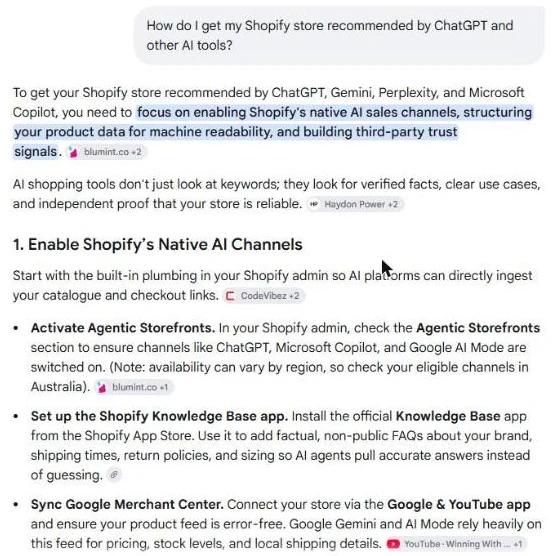
Google AI Mode, 20 November 2026, about 1:14 pm. The screenshot shows the opening of the answer.
What Claude said 5 of 6
Listed six areas: crawler access, schema, mentions on other sites, answers to customer questions, a consistent brand, and product feeds through Microsoft Merchant Center. It said Shopify's default robots.txt blocks some AI crawlers. Shopify's own help page does not say that, so check your own file. It did not mention Shopify's agentic storefronts.
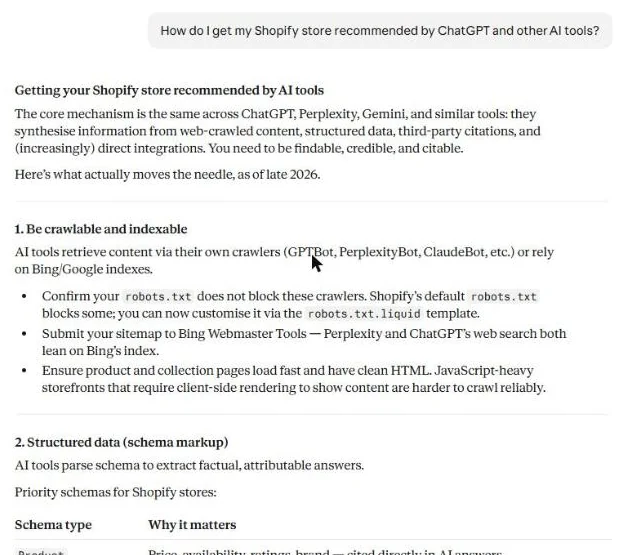
Claude, 20 November 2026, about 1:16 pm, incognito chat. The screenshot shows the opening of the answer.
What Grok said 6 of 6
Gave seven steps, starting with Sales channels, then Agentic, in Shopify, then product titles and attributes, schema, reviews and outside mentions, crawler access and content that answers buyer questions. It said most Shopify stores allow all crawlers by default. It also said Shopify already serves a default file for AI agents. We have not confirmed that on a Shopify page. It listed 59 sources.
Grok, 20 November 2026, about 1:28 pm, signed in. The screenshot shows the opening of the answer.
Swipe or scroll sideways to see each answer.
The full text of each answer and the original screenshots are kept on file.
The fix order
- Run the four tests and write down what you find, with the date.
- Fix access. Remove old robots.txt rules that block public pages. Submit your sitemap to Google and Bing.
- Fix product pages. Start with your ten highest-selling products: full description, specifications, sizing, care, alt text.
- State who you are on your home and About pages, and complete your policies.
- Fix schema. One Product block per product page, plus Organization schema for the business.
- Check Sales channels, then Agentic, and fill in the knowledge base.
- Match your details everywhere else your store is listed.
- Recheck in a month and compare your notes.
These map to the four layers of our AEO Traction Stack: entity clarity, schema markup, answer-format content and citation consistency.
To repeat the checks without retyping addresses, AISearch Pulse is our Chrome extension, optimised for Australian businesses. It checks the page you have open, including pages on a Shopify store, and gives a short fix for each failed check. The free version needs no licence key.
What no fix can promise
Nobody controls what an AI tool says. These fixes remove the technical reasons a store gets missed. They cannot make a tool name you, answers vary from day to day and competitors publish too. Treat your first recheck as a measurement, not a verdict.
Want it as a list for your store?
Our Founder Audit is for people who run their own site or store. It checks your site and tests five AI search surfaces with fifty dated observations, then gives you targeted fixes and AI prompts to get your AI to help you make them, with a 30-day recheck. It is $1,500 AUD flat, with no GST and no retainer. Book a free 20-minute call and if it does not suit your store, we will say so.
Sources
Read on 20 November 2026. Check them yourself:
- Shopify Help Center: SEO overview (built-in canonical tags, sitemap and robots.txt)
- Shopify Help Center: Finding and submitting your sitemap
- Shopify Help Center: Editing robots.txt.liquid (default rules and AI crawler access)
- Shopify Help Center: Optimizing your store for AI
- Shopify Help Center: Shopify agentic storefronts
- Shopify Help Center: Selling on ChatGPT
- Shopify developer pages: structured_data filter
- Shopify developer pages: within filter (product addresses inside a collection)
- Microsoft Learn: Data, privacy, and security for web search in Microsoft Copilot
Frequently asked questions
Is Shopify good for AI search?
Shopify gives you a sound base. Standard themes send finished HTML that crawlers can read, every store gets an automatic sitemap, and Shopify sends eligible product data to AI shopping channels through Shopify Catalog. It does not write clear product pages, state who your business is, or keep your details consistent across the web. That part is yours.
Do I need to edit robots.txt on Shopify to let AI crawlers in?
Usually not. Shopify says its default robots.txt lets crawlers request your public pages, and that the default works for most stores. Check your own file at yourstore.com/robots.txt first. Editing it means adding a robots.txt.liquid template, which Shopify calls an unsupported customisation, so get help if you are unsure.
Can an Australian Shopify store sell through ChatGPT?
Shopify says the store can be based outside the United States, but it must sell to customers in the United States, its products must be eligible for Shopify Catalog, and its terms of service, privacy policy and return and refund policy must be completed. Check Sales channels, then Agentic, in your Shopify admin to see what is available to your store.
Does blocking AI crawlers stop my products appearing in ChatGPT?
Not by itself. Shopify says blocking AI crawlers in robots.txt affects only open-web discovery. It does not stop Shopify Catalog sending product data to the agentic storefronts you have active. You control that in Sales channels, then Agentic.
Does Shopify add schema to my products?
Shopify provides a structured data filter that themes can use to output schema.org Product markup for products and Article markup for blog posts. Whether your store has it depends on your theme and apps. Run a product page through a schema checker and look for one Product block, not none and not two.
What is the difference between SEO, AEO and GEO for a Shopify store?
SEO helps your pages rank in search results. Answer engine optimisation (AEO) helps AI tools quote your pages when they answer a question. Generative engine optimisation (GEO) helps AI tools name your store when someone asks for a recommendation. They share one base: pages that are readable, specific and consistent.
Can anyone guarantee my Shopify store will be named by AI?
No. Nobody controls what an AI tool says, and answers vary from day to day. The fixes remove the reasons a store gets missed. Recheck monthly and compare dated notes.
Not sure what your store shows AI?
Run the free AI readability check, or talk it through on a free 20-minute call. If the audit does not suit your store, we will say so.
Book a free 20-minute call